
Installing Communicare clients
Windows users with the required administrator permissions can install or upgrade Communicare clients.
The Communicare server is installed by Communicare Support at your site. You can install online clients on other computers that connect to the Communicare Server. The server and client must be on the same local network.
If you have an external service provider who manages your IT infrastructure, organise for them to install the Communicare client.
To install Communicare clients you must be on the same network as your Communicare server. You can’t be working remotely, unless you are on a Remote Desktop Server.
-
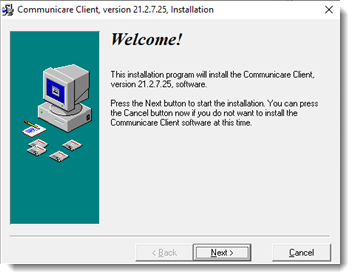
In the Welcome window for the Communicare client, click
Next.
-
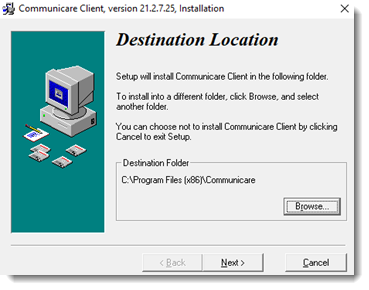
In the Destination Location window, accept the default
installation location of C:\Program Files (x86)\Communicare
and click Next.
-
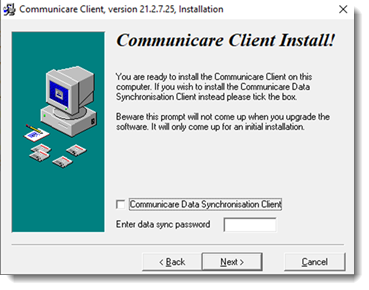
If you are installing the offline client, set Communicare Data
Synchronisation client and enter the Data Synchronisation
installation password provided by Communicare Support. Alternatively, click
Next.
-
The installation begins and a progress bar is displayed. Installation will take
up to 10 minutes. When the installation is finished, the Installation
Completed window is displayed. To complete the installation,
click Finish.
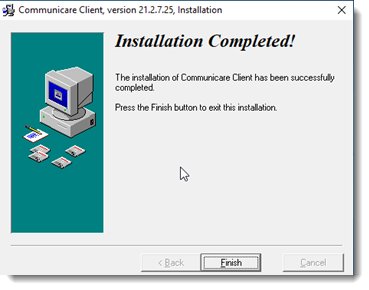
Communicare is installed to the location you selected and a Desktop shortcut is created automatically.
Upgrading Communicare clients
When the Communicare Server is upgraded, you must also upgrade the Communicare clients to the same version.
After the Communicare client is updated, Communicare opens automatically at the Communicare Login window.