
Update Central Data
Use the Communicare Data Updater to update Central items to the latest version.
Central data changes are included in the release notes, listed by their month of release. For more information, see Central Data Changes.
Note:
Ensure that the data from all laptops that use the
offline client are synchronised and all processing is completed before you run a
Central data update. After an update, a backup is performed overnight and a new
offline database is created. Download the new databases to all laptops before the
offline clients are used again.
Tip:
To update immunisation
clinical items, update Central data.
To update Central data:
-
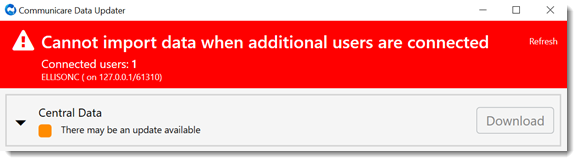
If other users are logged in, the user and their computer name are listed in a
banner. Before proceeding with the update, ensure that those users are logged
out, then click Refresh in the banner.
-
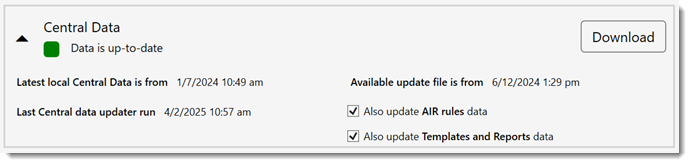
Check the status.
Tip:Select the caret to display when the local and central data was last updated.
For Central items that
had been updated locally, the items are archived on the server and information about
those items that have been reverted to Central is displayed in the Data Updater.
