
Extending your PRODA B2B device
Your site must extend the expiry date of your B2B device every 6 months.
Communicare will send your administrator an email when expiry of your device is
approaching, within 28 days by default. The email includes the following
information:
- The email is sent to the email recipient configured in CCareQueue_ServicesAustralia . For more information, see Services Australia interaction defaults.
- The subject line is similar to: Communicare PRODA device expiry warning.
- The email is sent from the Sender configured for your health service in Organisation Parameters - Email Server, for example, system@communicare.com.au.
Important:
Renew the registration when you
receive the email. If the device registration expires, your site won't be able
to make claims from, or be paid by Medicare.
Note:
If you don't extend your device, your Medicare claiming and AIR
uploads could be interrupted and you will need to create a new device.
Communicare and PRODA remind you before the device expiry date. As soon as you receive a reminder, a user who has access to the relevant PRODA Organisation and has the Device-Management role should update your device.
To renew your device registration, follow the link in the email or go to the PRODA portal and click Renew.
Tip:
If you are having trouble extending the expiry of
your B2B device, contact the PRODA Helpdesk on 1800 700 199, Option 1.
To renew the B2B device in PRODA:
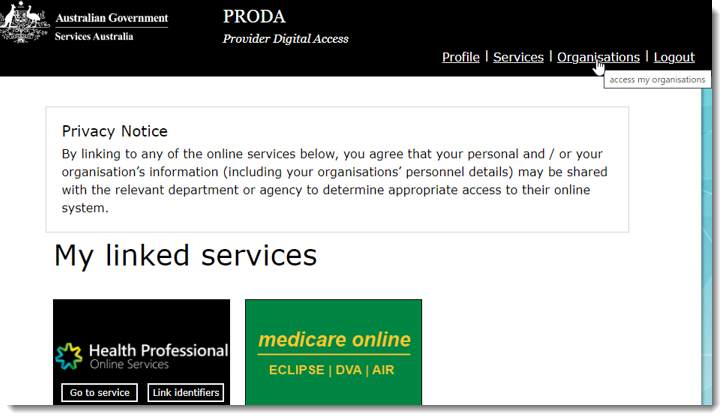
- Log into PRODA and select Organisations at the top right of
the window.
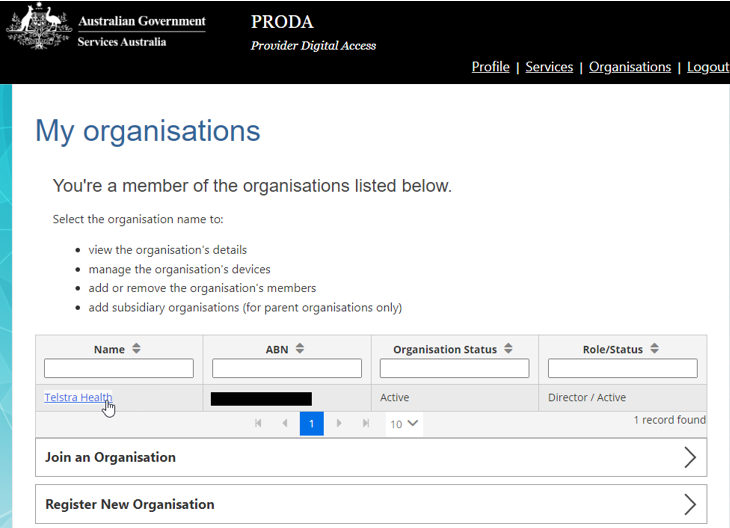
- On the My organisations page, in the
Name field, select the name of the organisation you want
to update.
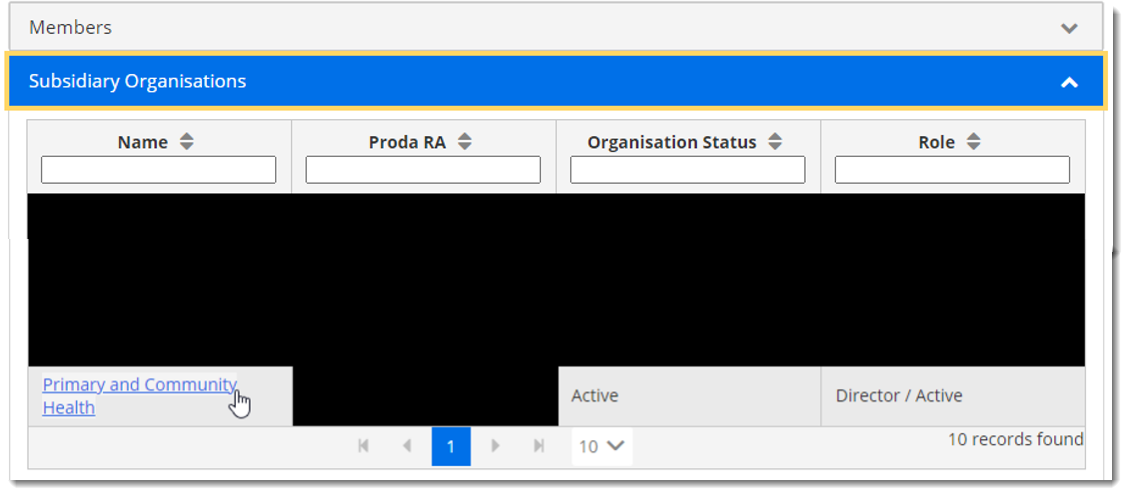
- Some organisations will have a subsidiary organisation in which the device was
created. If you do, from the Subsidiary Organisations list,
select the relevant subsidiary organisation, otherwise, go to the next step.
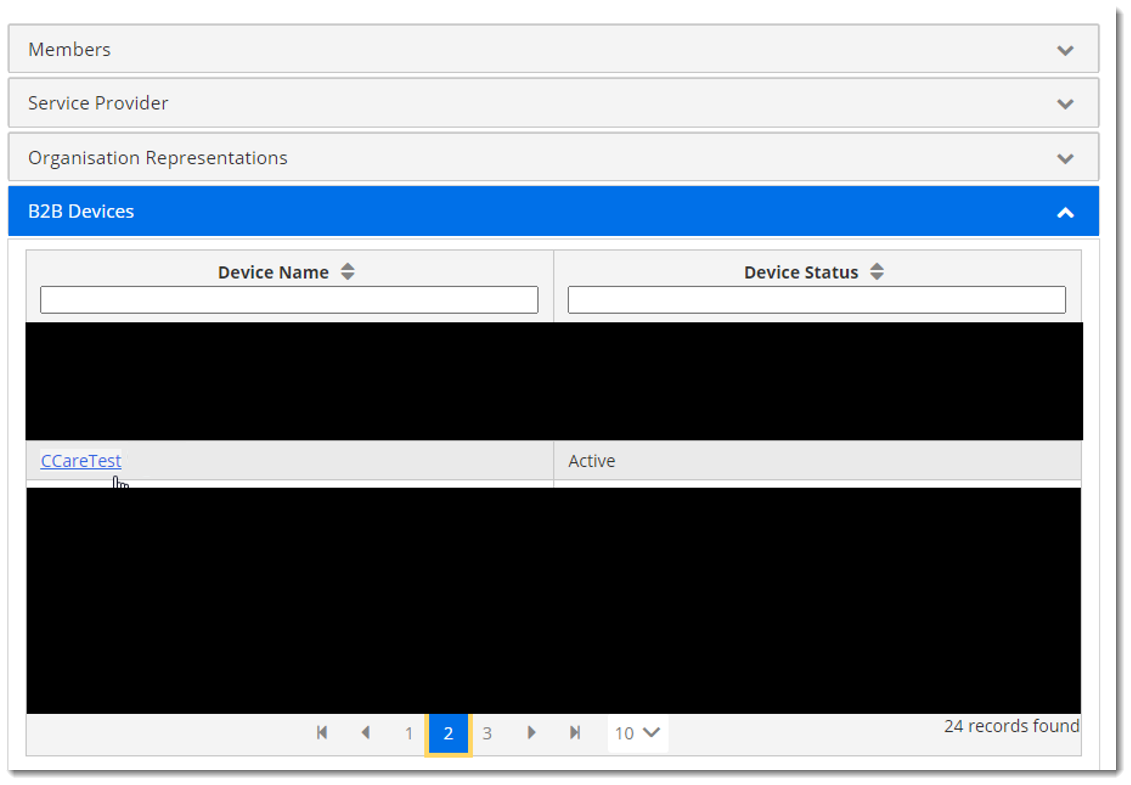
- From the B2B Devices list, select the device that you want to
update.
- On the Device details window, click Extend B2B
Device Expiry.
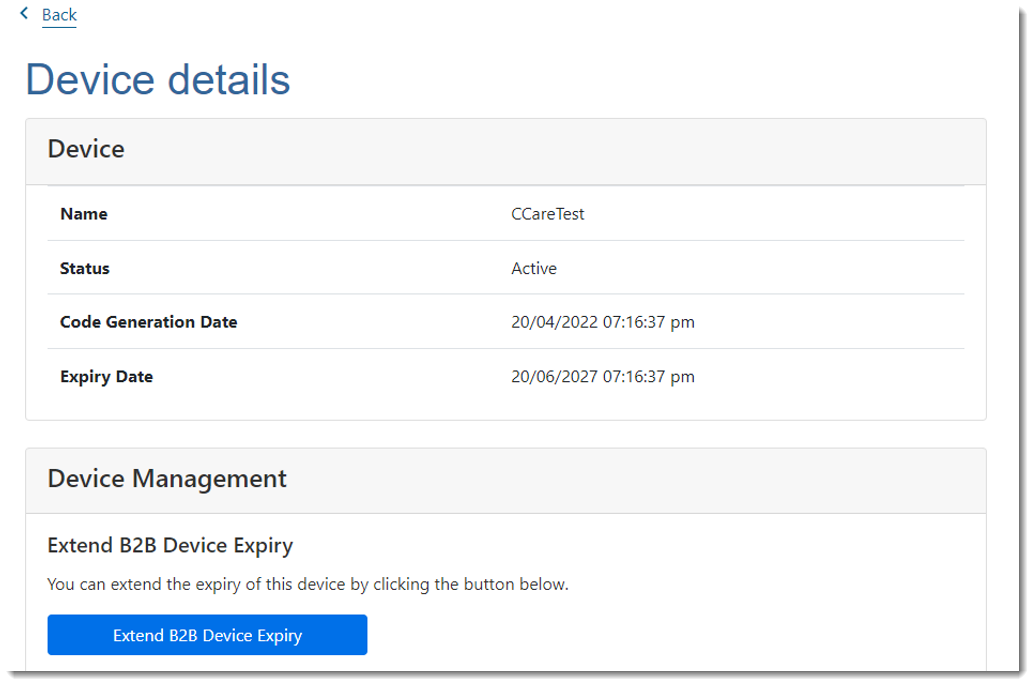
- Click Yes to confirm that you want to extend the expiry date of the B2B device.
- Observe that the expiry date of the device has been extended.
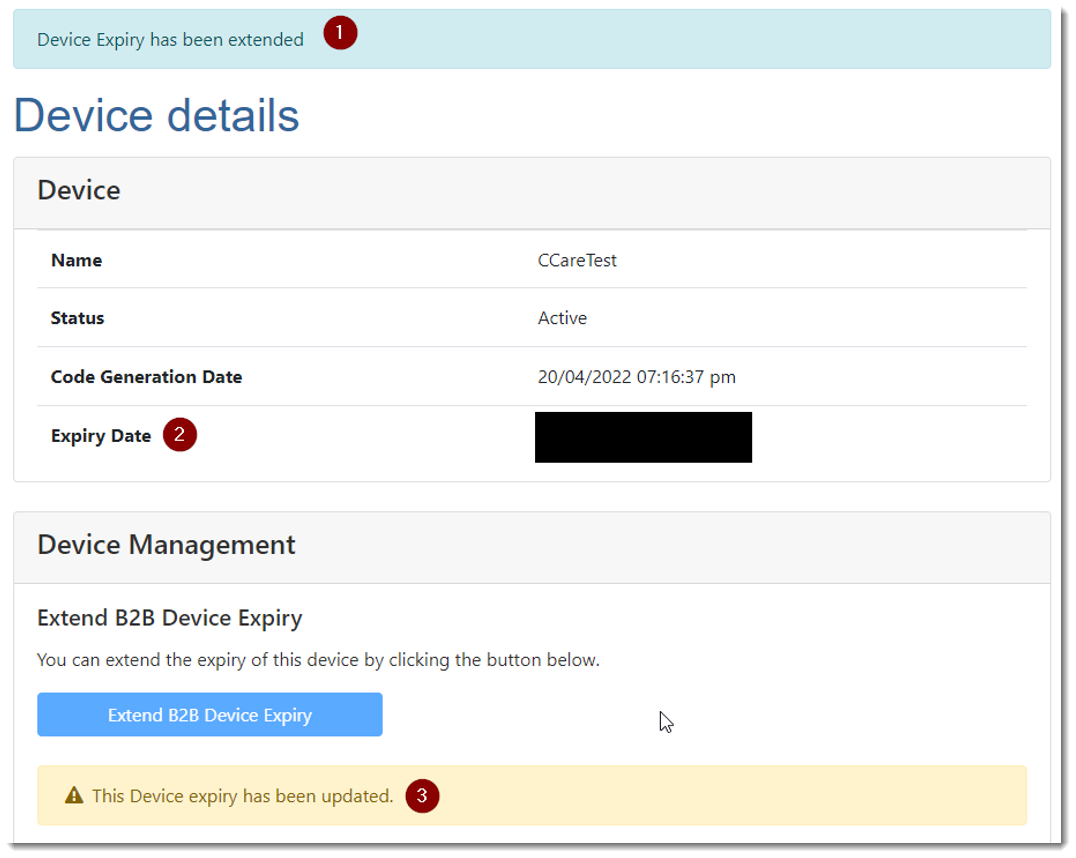
Once you have extended your B2B device in PRODA, you do not need to do anything else. You do not need to advise Communicare when you have done this, the system will automatically detect this has occurred.
Remember:
Repeat these steps before the device's next
expiry date.